Comprehensive training environment
Clinical Version

A transforming addition to your practice: Your patients play games engineered to help them better manage stress, train for peak performance, and achieve better emotional and mental balance.
The Clinical version of Alive allows for unlimited users and includes Advanced Graph Training, Session Review, and many best-in-class clinical features: Unlimited user profiles with reset privileges, orientation bypass (Main Menu unlock), and Skin conductance data (Lightstone or IOM sensor version only).
Alive Clinical Version benefits
 |
 |


Which version of Alive is for me?
- Most professionals and schools - Alive Clinical with Lightstone or IOM sensor
- Focus on gaming and don't need skin sweat feedback - Alive Clinical with emWave sensor, which does not include skin sweat feedback, but which does allows two hands free to play Half Life 2 with heart rate feedback (included but need to purchase Half Life 2 from steampowered.com) and Tropical Heat with a gamepad (sold separately)
- Already have a Lightstone, IOM or emWave sensor - Buy Alive Clinical for IOM or Alive Clinical for emWave
- Already have both an emWave sensor and a Lightstone or IOM - Buy Alive Clinical plus the Alive Dual Compatibility Upgrade to make it worth for either sensor
- Already have Alive Standard - Upgrade to Alive Clinical
- Already have Alive Clinical - buy Add-ons like Advanced Media Player, Dreamscapes, Arcade, Tropical Heat, Particle Editor or Inner Tube
- Unlimited Graphing Screens, Train any Environment or Game with BVP, Average Heart Rate, Emotions, and more. Adaptive Pacer, Audio Pacer, Microphone Audio Recording of Sessions, Pioneer Environments and Dreamscapes Games - Alive Pioneer version
- Compare Alive Home, Clinical and Pioneer
Package |
Order |
|
|---|---|---|
Alive Clinical Version with open box Lightstone sensor* Download Software, Lightstone finger sensors arrive by mail. Lightstone is an earlier version of the IOM, see * section below. Limited stock available. |
$739 |  |
Alive Clinical Version with HeartMath emWave sensor Includes emWave Pro heart-rate sensor with both finger and ear clips. Download Software, emWave sensor arrives by mail |
$540 | |
Alive Clinical Version for the IOM or Lightstone sensor Download SOFTWARE ONLY (Does not include required IOM or Lightstone sensor) |
$395 |
|
Alive Clinical Version for the HeartMath emWave sensor Download SOFTWARE ONLY (Does not include required emWave sensor) |
$395 |
|
Alive to Clinical Version Software Upgrade Download Upgrade (Does not include required sensor) |
$250 |
|
Alive Dual Compatibility Upgrade Download upgrade to enable use with both sensor types |
$50 |
|
Replacement or additional sensor hardware |
||
Note: You will receive an acknowledgement of your order by email within 24 hours of your completed order. U.S. orders arrive within 2 weeks (international orders arrive within 3 weeks).
Alive Add-on Games
Alive can be expanded with additional fun games. All games below require Alive and an Alive compatible sensor.
Add-on |
||
|---|---|---|
Advanced Media Player for Alive Train with DVDs and video files |
||
Dreamscapes for Alive Explore relaxing, super high-quality, environments. Draw, compose music, play Sudoku, crosswords & more. |
||
Arcade Mega game pack for Alive |
||
VR Train in Virtual Reality with an Oculus Rift or HTC Vive |
||
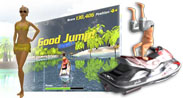
Tropical Heat Jet Ski for Alive Escape to the tropics for a jet ski adventure |
||
Particle Editor 3 for Alive Many fun & relaxing mini-game environments |
||
Inner Tube 3 for Alive Race against the clock with 4 space ships through 80 tunnel levels |
||

What's this?
*Open Box Lightstone Sensors - Sensors Out of Stock Worldwide
Wild Divine has discontinued production of IOM Pro and Lightstone sensors. Many clinicians prefer Wild Divine sensors as they provide both heart rate and skin sweat in a simple and easy to use package. Somatic Vision has a large inventory of open box / gently used Lightstone sensors still available for sale for use with Alive. All Lighstone sensors have been fully tested and come with a 90-day warranty.
Somatic Vision now also bundles Alive Pioneer with the GP8 Amp, a professional amplifier that measures heart rate, skin conductance (GSR), muscle tension (EMG) and temperature.
About Alive Clinical Version
Alive Clinical Version Features
| Alive | Alive Clinical Version |
| Up to 7 User Profiles | Unlimited User Profiles |
| Heart Rate and Heart Rate Smoothness data | Smoothness (HRV) and Heart Rate data + extensive Skin Conductance training with Alive Environments, Games and Graph Training |
| Heart Rate Smoothness Graph Training |
Clinical Graph Training that includes highly customizable graphing with audio feedback:
|
| Session Review | Clinical Session Review: Review any session with a high level of detail across time and/or by subset of session type:
|
| Automatic Coach Orientation for each new User | Clinical Control Panel with direct Main Menu accessbility and ability to disable all standard Alive coach suggestions for a customized training |
| In-game background music | In-game background music + ability to select any music of your own from your hard drive New Clinical feedback environments Valley and Petals of Light. |
| Training on one monitor with Alive games or graphs. | Detachable Graph Training module to use on its own monitor as User plays Alive Games, engages in Workshops, and explores Environments; Add comments, pause sessions, and view detailed graphs while playing Alive Games |
| No session printing. | Take a screenshot while graph training or in session review by pressing "p" or export data to Excel and print using the Alive Excel Templates. |
| No research interface. | Send markers to Alive using our Alive Marker Interface (requires basic programming knowledge), allowing E-Prime or other tools to synchronize with Alive graphs by marking events. |
| Pacer minimum of 7.5 seconds per breath. | Greater pacer range with a minimum of 4.5 seconds per breath. |
| Free auto-updates as new features are added | Free auto-updates as new Clinical features are added |
|
** length of time smooth, % time in each smoothness zone, total time smooth, LF/HF ratio *** stability, min, max and average, audio feedback |
|

Beyond
|
The Alive Coach
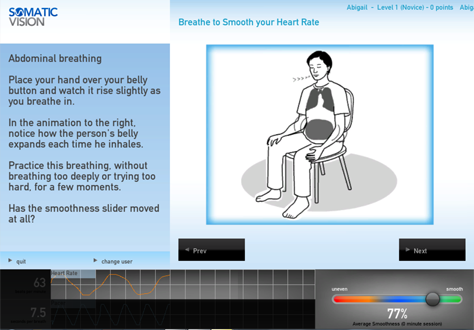
Diagnostics, educational resources, progress tracking, and a virtual coach to teach you techniques for breathing to lower and smooth heart rate, how to interpret your body data, and to suggest a program for meeting your goals.
|
|
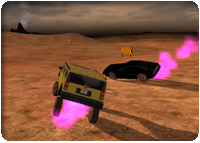


As you play the Alive Games and explore the Environments, the Coach stays with you throughout the entire experience, evaluating your progress, and helping you maximize the effectiveness of Alive — suggesting alternative programs and approaches as you play.
Alive Games
The most fun part of Alive. Includes Dual Drive Pro Manual, Dual Drive Pro Autopilot, and an assortment of Alive Mini Games, including:
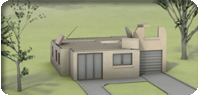
- Dream House— Build a dream house from the ground up, beginning in the morning and finishing by parking your car in the new garage at sundown.
- Green Thumb — Make a gorgeous hyacinth bloom and wow you with its showy ultramarine flowers
- Four Seasons — Propel a natural scene through all four seasons, enjoying spring showers, lush summer foliage, fall thunderstorms and the bare beauty of winter.
- Alien Shuttle — Complete your alien mission by finding your way to the docking station in the mothership.
- Night Flight — Enjoy navigating through a twinkling and busy cityscape.
Alive Environments
For training and development. Gorgeous visual environments to explore as you pace your breathing and smooth your heart rate include:
- Alive Environments Breath Spiral — Move shiny particles in a 3D space as you inhale and exhale. Paced breathing creates a smoother heart and expands a disc of particles into spiraling waves.
- Alive Environments Shape Shifter — The smoother your heart rate, the brighter a geometric shape becomes. Keep it smooth to see it morph into new forms.
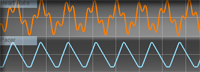
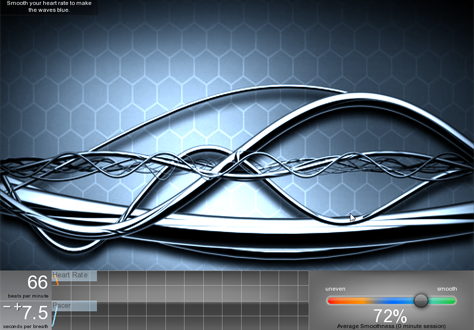
- Alive Environments Metal Pulse — Use paced breathing to turn undulating waves from orange to an intense blue.
- Alive Environments Plasma — Use the pacer on the screen to smooth your heart rate and make undulating plasma appear. Slow the plasma by dropping your heart rate.
- Alive Environments Tropical Ocean — Relax to make the wind blow the palm fronds and the wave sounds intensify.
- Alive Audio Environments — Close your eyes, sink back into your chair, and breathe to smooth your heart rate. The more even your heart rate changes are, the more enveloping the music and relaxing sounds become. Choose from Rain, Stream, Waves, and Memory.
Alive Active Feedback Hardware
For use with all Somatic Vision games and tools. Captures skin conductance data and heart rate variations and sends them to the Alive interactive interface.
Alive Screenshots
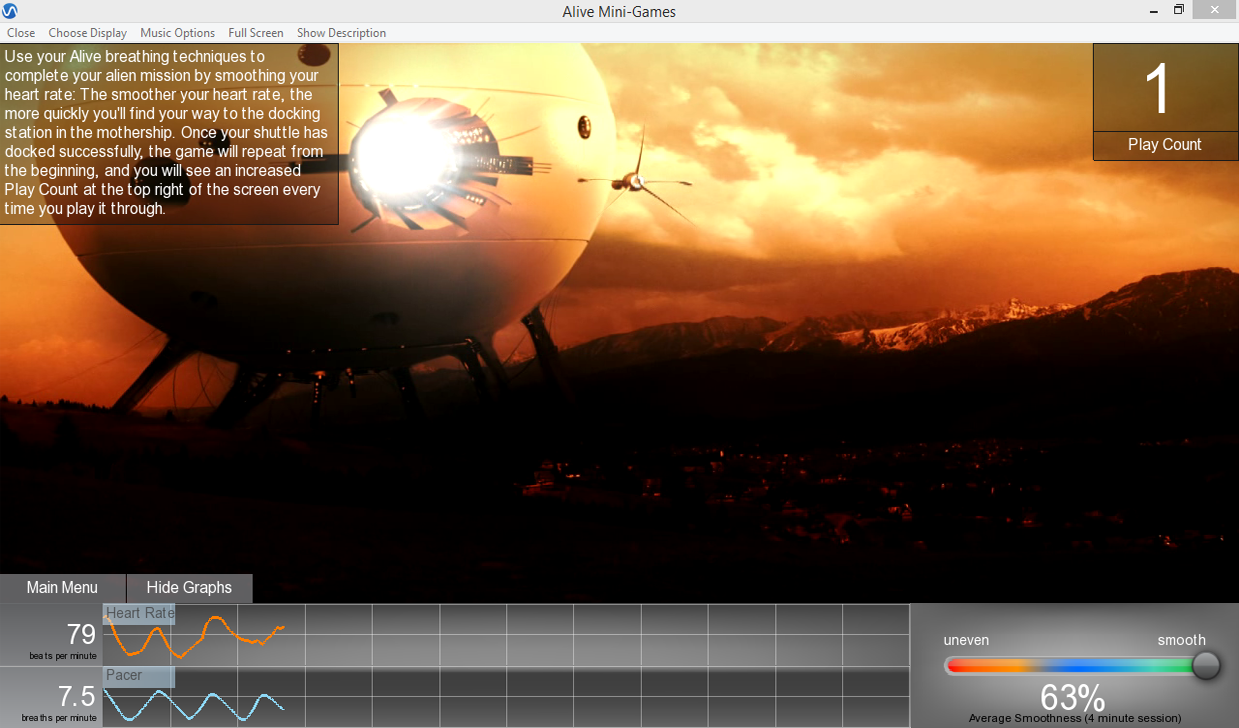
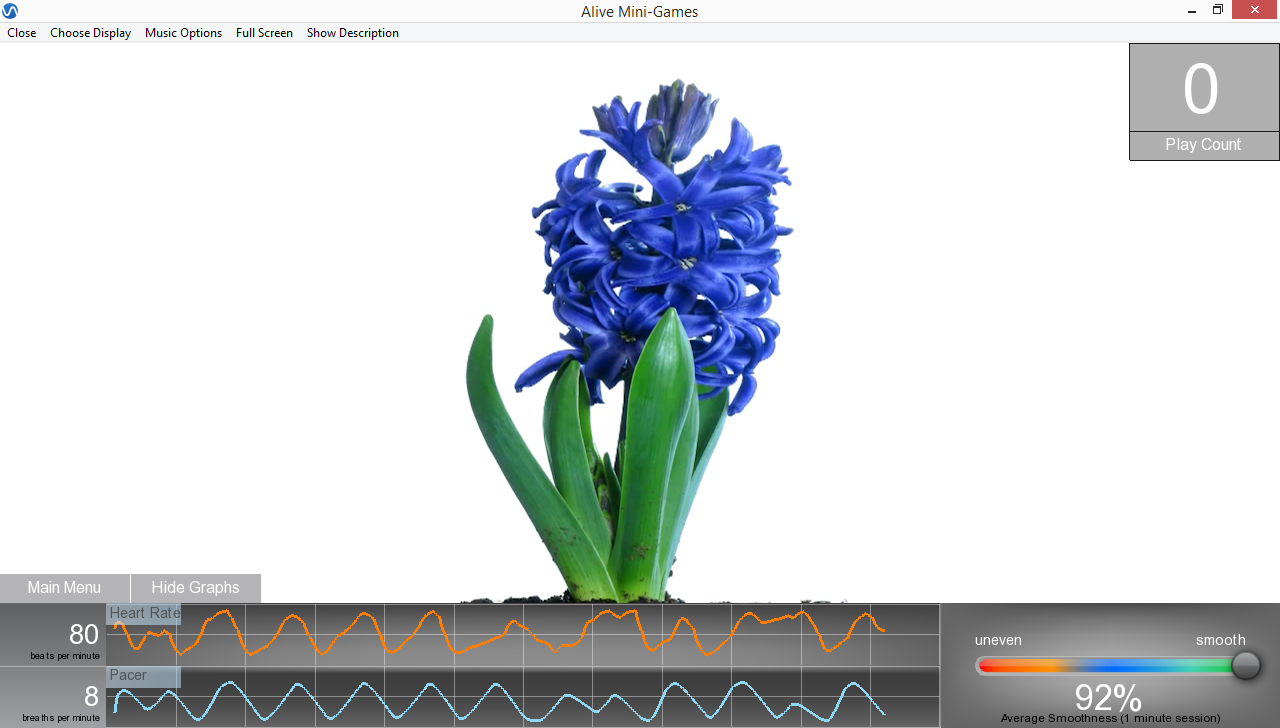
Minimum System Requirements
- Alive Active Feedback Hardware — BioSignals, iFeel, HeartMath emWave or Wild Divine Lightstone, IOM, or iom2 finger sensors (*IomPE & IomBlue not supported)
- Windows 7, Windows 8, Windows 10, Windows 11
- or -
macOS 10.10 - macOS 13 compatible with certain Alive sensors. See macOS Requirements Here. - 2.0 GHz Processor, i5 or greater recommended
- Dedicated Video Card with 512 MB of Dedicated Video Memory (almost any nVidia or AMD card)
- 1 GB RAM
- 3 GB of Disk Space
- Internet connection recommended (enables updates and community features)
- Alive may work even if your computer does not meet the minimum video card requirements. If you are unsure if Alive will work on your computer please download OpenGL Caps Viewer and make sure your OpenGL version is 2.0 or higher (on the first tab of OpenGL Caps Viewer, next to OpenGL, it should say OpenGL 2.0 or higher).
- ALIVE MAY ONLY BE USED ON ONE COMPUTER AT A TIME. ALIVE CAN BE INSTALLED ON TWO COMPUTERS AS LONG AS ONLY ONE COPY OF ALIVE IS IN USE AT ANY GIVEN TIME.
Licensing and patent information
© 2009-2024 Somatic Vision Inc. Alive, Alive Clinical, Alive Pioneer, Gains & Drains, Today Log, Zoom Out, Change the Channel, Mental Mini-Breaks, Dual Drive, Dual Drive II, Dreamscapes, Somatic Vision VR, Inner Tube, Particle Editor, Tropical Heat and Advanced Media Player are all trademarks of Somatic Vision Inc. All rights reserved. Manufactured under license from Quantum Intech, Inc. Quantum Intech and the Quantum Intech logo are trademarks of Quantum Intech, Inc. in the U.S. and other countries. HeartMath and the HeartMath logo are trademarks or registered trademarks of the Institute of HeartMath in the U.S. and other countries. All other trademarks belong to their respective owners. Coherence algorithms contained within this product licensed from and © 1999-2010 Quantum Intech, Inc, with all rights reserved, and are protected by the following patents in the US: 6,358,201; 7,117,032; 7,163,512; 7,462,151 and 8,066,637. Other patents include: European Union 1156851; Canada 2,365,032; Australia 770323; China ZL00807109.8; Hong Kong HK1042056; Japan 4410234; Korea 10-0616370